
The True Cost of Manual Accounts Payable in Australian Business
Manual accounts payable (AP) processing remains one of the most stubborn operational bottlenecks across Australian mid-market and enterprise organizations. In construction, logistics, mining services, and professional services firms handling 2,000 to 50,000 invoices per month, manual data entry incurs heavy financial and organizational tolls:
- Extended Processing Latency: The average manual invoice takes 12 to 18 business days from receipt to payment approval, causing missed early-settlement discounts and frustrating vital supply chain partners.
- Human Error & Duplicate Invoicing: Keystroke errors occur on 1.5% to 3.5% of manually keyed transactions, leading to duplicate disbursements, incorrect GST claims, and costly month-end reconciliation fire drills.
- Compliance and ATO Audit Exposure: The Australian Taxation Office (ATO) enforces strict rules regarding what constitutes a valid tax invoice. Failure to verify that an Australian Business Number (ABN) is active and registered for GST at the time of transaction exposes businesses to denied input tax credits.
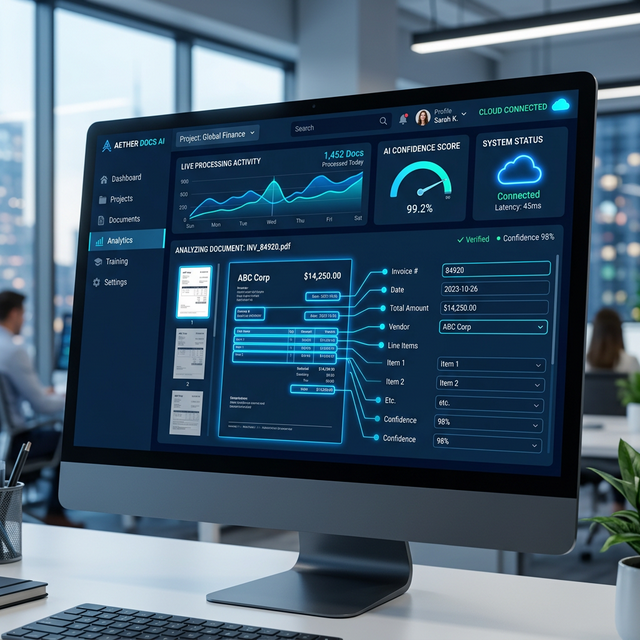
By pairing Azure AI Document Intelligence (formerly Azure Form Recognizer) with Microsoft Power Automate, organizations can establish an automated, straight-through processing (STP) pipeline that extracts invoice data in seconds, validates statutory tax compliance, conducts automated 3-way matching against ERP purchase orders, and routes exceptions via Microsoft Teams.
Architecture Comparison: Evolution of Invoice Processing
| Processing Method | Template Sensitivity | Line-Item Accuracy | ATO / ABN Verification | Straight-Through Processing Rate |
|---|---|---|---|---|
| Manual Data Entry | Universal; relies on human cognitive interpretation | Prone to transposition errors (1.5%–3.5%) | Manual spot checks on ABR portal; easily skipped | 0% (100% manual touch) |
| Legacy Zonal OCR (Tesseract / ABBYY) | Brittle; breaks whenever a vendor tweaks header or column spacing | Fails on multi-page tables, rotated pages, or variable item counts | None natively; requires custom script wrappers | 25%–40% (constant template maintenance required) |
| Azure AI Document Intelligence + Power Automate | Zero template setup; pretrained deep-learning models adapt to any vendor layout | 98%+ on structured header fields and tabular multi-page line items | Automated real-time ABR Lookup API + 10% GST mathematical validation | 85%–95% straight-through processing to ERP |
The End-to-End Enterprise AP Automation Architecture
1. Multi-Channel Ingestion & De-duplication
Invoices arrive through various channels: PDF attachments to centralized shared mailboxes (e.g., [email protected]), vendor portal uploads in Power Pages, or scanned paper documents from field depots. A Power Automate cloud flow monitors these endpoints:
- Extracts PDF and image attachments (TIFF, PNG, JPEG).
- Computes an MD5 cryptographic file hash to detect and discard accidental duplicate submissions before running AI cognitive services.
- Archives raw files to an immutable SharePoint Online document library configured with compliance retention labels.
2. Deep Neural Field Extraction (Azure AI Document Intelligence)
The document payload is passed to the Azure AI Document Intelligence prebuilt-invoice model running in Azure Australia East. Within 1.5 seconds, the neural model extracts normalized key-value pairs and tabular arrays along with confidence scores (0.00 to 1.00):
- Header Metadata: Vendor Name, Vendor ABN/Tax ID, Invoice ID, Billing Address, Invoice Date, Due Date, Purchase Order Number.
- Financial Totals: Subtotal, Total Tax (GST), Invoice Total, Currency code.
- Tabular Line Items: SKU/Product Code, Description, Quantity, Unit Price, Tax Rate, Line Item Total.
3. Australian Statutory & Mathematical Validation Rules
Before any record touches the financial ledger, automated validation logic verifies integrity:
- ABN & GST Verification: The flow invokes the Australian Business Register (ABR) XML/REST web service using the extracted ABN. It validates that the vendor name matches the registered legal entity, the ABN is active, and the entity is registered for GST.
- Mathematical Reconciliation: Enforces that
Sum(Line Items) = SubtotalandSubtotal + Total Tax = Invoice Totalwithin a rounding tolerance of +/- $0.02. - Duplicate Invoice Check: Queries the ERP (Dynamics 365, Business Central, SAP, or Xero) to ensure an invoice with the same Vendor ID and Invoice Number has not already been posted.
4. Automated 3-Way Matching
For inventory and project purchases, the flow extracts the Purchase Order (PO) number and executes a 3-way match across Dataverse or ERP tables:
- PO Match: Confirms line items, quantities, and agreed contracted prices match the authorized purchase order.
- Goods Receipt Match: Cross-references warehouse receipt records to confirm the items have been physically received and accepted.
- Threshold Scoring: If all fields achieve a confidence score >0.95 and line items match within tolerance (e.g., <1% variance), the invoice is marked for Straight-Through Posting.
5. Human-in-the-Loop (HITL) Exception Routing via Teams & Power Apps
When an invoice contains low-confidence values (<0.90), an invalid ABN, or an unapproved price discrepancy, automated Straight-Through Processing pauses. The workflow dispatches an interactive Adaptive Card to Microsoft Teams:
- The AP officer views the document snippet, flagged discrepancy reason, and side-by-side extracted values.
- A single click on "Review in Portal" launches a lightweight canvas app displaying the original PDF with color-coded bounding boxes highlighting exact field coordinates.
- Once corrected or approved, the state updates instantly, and the voucher posts to the ERP ledger with full audit trails showing who approved the exception.
Production Code: Azure AI Document Intelligence Python Invocation
The following Python routine illustrates how an automated Azure Function or Power Automate custom connector queries the Document Intelligence API (v1.0.0+) using the prebuilt-invoice model, parsing line items and confidence scores:
from azure.core.credentials import AzureKeyCredential
from azure.ai.documentintelligence import DocumentIntelligenceClient
from azure.ai.documentintelligence.models import AnalyzeDocumentRequest

client = DocumentIntelligenceClient(
    endpoint="https://ultron-docintel-australiaeast.cognitiveservices.azure.com/",
    credential=AzureKeyCredential("AZURE_DOCUMENT_INTELLIGENCE_KEY")
)

def analyze_australian_invoice(pdf_bytes: bytes) -> dict:
    poller = client.begin_analyze_document(
        model_id="prebuilt-invoice",
        analyze_request=AnalyzeDocumentRequest(bytes_source=pdf_bytes),
        locale="en-AU"
    )
    result = poller.result()
    invoice = result.documents[0] if result.documents else None
    if not invoice:
        return {"status": "FAILED", "reason": "No document detected"}

    fields = invoice.fields
    return {
        "VendorName": fields.get("VendorName", {}).get("valueString"),
        "VendorTaxId": fields.get("VendorTaxId", {}).get("valueString"),  # Australian ABN
        "InvoiceTotal": fields.get("InvoiceTotal", {}).get("valueCurrency", {}).get("amount"),
        "TotalTax": fields.get("TotalTax", {}).get("valueCurrency", {}).get("amount"),  # GST
        "InvoiceDate": str(fields.get("InvoiceDate", {}).get("valueDate")),
        "LineItems": [
            {
                "Description": item.get("valueObject", {}).get("Description", {}).get("valueString"),
                "Amount": item.get("valueObject", {}).get("Amount", {}).get("valueCurrency", {}).get("amount"),
                "Confidence": item.get("confidence", 0.0)
            }
            for item in fields.get("Items", {}).get("valueArray", [])
        ],
        "ConfidenceScore": invoice.confidence
    }
Case Study: Australian Civil Infrastructure Contractor AP Modernisation
A national civil engineering and earthmoving contractor managing major infrastructure corridors across Queensland, New South Wales, and Western Australia processed over 3,200 subcontractor tax invoices monthly across 45 active work packages. Accounts payable clerks spent more than 40 hours weekly keying invoice lines into Dynamics 365 Finance.
The Technical Implementation:
- Architected an automated ingestion pipeline using Azure Blob Storage, Azure AI Document Intelligence, and Power Automate desktop and cloud flows.
- Automated verification of subcontractor ABN status and GST registration directly against the Australian Business Register (ABR) web service.
- Configured Teams Adaptive Cards for instant project engineer sign-off on cost codes and job numbers before posting vouchers to Dynamics 365.
Quantified ROI:
- 92% Straight-Through Processing: Over 2,900 invoices per month are parsed, matched against open purchase orders, and posted with zero manual keying.
- Cycle Time Reduced by 85%: Average processing turnaround accelerated from 12 business days to under 4 hours, allowing the contractor to capture early payment supplier discounts saving over $180,000 annually.
Security, Sovereignty & Compliance (APRA CPS 234)
Financial invoices contain sensitive commercial pricing and supplier bank account information. Ultron's deployment architecture adheres strictly to Australian sovereign security standards:
- Australian Sovereign Boundary: Azure AI Document Intelligence instances are pinned to Azure Australia East (Sydney), guaranteeing that customer data never transits or rests in overseas jurisdictions.
- Data Encryption & Private Endpoints: All traffic transits encrypted via TLS 1.3 over Azure Private Endpoints, eliminating public internet exposure between Power Automate and Azure AI.
- No Customer Data Training: Enterprise Azure agreements ensure proprietary financial records and invoice PDFs are never used to train Microsoft base foundation models.
Explore how Ultron Developments' AI document automation team and Power Platform engineers modernize financial workflows for Australian organizations.
Ready to Automate Accounts Payable with AI?
Our Australian specialists deploy intelligent document processing pipelines achieving 90%+ straight-through invoice automation for Dynamics 365, SAP, and Xero.
Book an AP Automation Scoping Session