
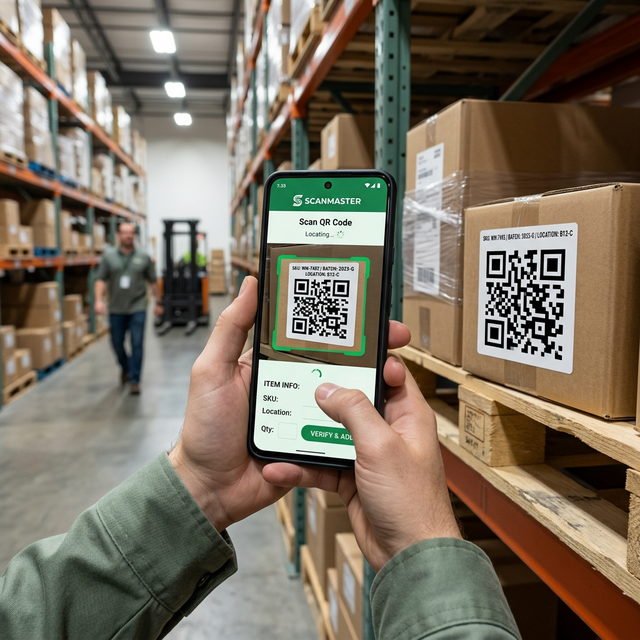
The Remote Operational Reality: Zero-Connectivity Field Environments
From the iron ore pits of the Pilbara and the Goldfields in Western Australia to the coal basins of Queensland and civil infrastructure corridors in regional New South Wales, frontline crews operate in some of the most unforgiving, disconnected industrial environments on earth. Underground mine declines, remote haulage corridors, processing plant cellars, and offshore installations frequently experience complete cellular and radio blackspots.
When software engineers design enterprise mobile applications under high-speed metropolitan office Wi-Fi, they often assume consistent cloud connectivity. In remote industrial operations, that assumption guarantees failure: forms freeze during submission, unhandled network exceptions drop critical pre-start inspection records, and frustrated operators revert to triplicate paper logbooks. Designing offline-first Power Apps is an architectural necessity for mining, utilities, and civil construction operators seeking real-time compliance, worker safety, and operational continuity.
Native Dataverse Mobile Offline Architecture
Modern Microsoft Power Apps features native, deep-level Dataverse Mobile Offline capabilities for both Canvas and Model-driven applications. Rather than forcing developers to manually write complex local storage caching routines, Microsoft provides an integrated, engine-level offline synchronization framework.
Core Architectural Mechanics
- Encrypted SQLite Local Database: When a field technician launches the Power Apps Mobile client on iOS, Android, or ruggedized Windows tablet hardware, the app provisions a secure, encrypted local SQLite database. Data stored on the device is protected under Microsoft Entra ID device encryption and Mobile Application Management (MAM) Intune policies.
- Declarative Mobile Offline Profiles: Administrators configure granular offline profiles in the Power Platform Admin Center. Rather than synchronizing an entire multi-terabyte enterprise database, profiles enforce strict criteria:
- Table Scope: Only synchronizes required operational entities (e.g., Asset Registry, Maintenance Work Orders, Pre-Start Checklists, Safety Hazards, Shift Logs).
- Row Filters: Restricts records to what the specific crew needs (e.g., "Work orders assigned to the user's crew scheduled for the current 14-day swing").
- Related Record Expansion: Automatically pulls associated reference data, such as equipment technical specs and hazardous substance safety data sheets (MSDS).
- Background Delta Synchronization: The mobile engine continually monitors network health. When a satellite or 4G connection is detected, the engine executes bidirectional delta synchronization in the background. It uploads modified records and downloads newly assigned tasks without interrupting active user input.
Comparison: Mobile Offline Architectural Approaches
| Architectural Approach | Data Storage & Limits | Conflict Resolution | Development & Maintenance Effort | Best Suited For |
|---|---|---|---|---|
Legacy Canvas SaveData() / LoadData() |
Device local app cache; hard memory caps (30MB–50MB) | None natively; requires hundreds of lines of custom Power Fx merge logic | High; extremely brittle during app updates or schema changes | Simple single-screen read-only reference checklists |
| Native Dataverse Mobile Offline | Encrypted SQLite DB; scales to millions of records and multiple gigabytes | Automated attribute-level synchronization and server-side conflict detection | Low to Moderate; declarative profile management in Power Platform admin portal | Enterprise mining, heavy industrial maintenance, safety compliance |
| Custom Progressive Web App (PWA) + IndexedDB | Browser IndexedDB; subject to aggressive mobile browser eviction policies | Must be coded from scratch in custom React/TypeScript services | Very High; full custom full-stack development and API maintenance | Consumer-facing portals with non-Entra public access |
Handling Media, Image Compression & Bandwidth Throttling
Modern smartphone cameras capture images at 12 to 48 megapixels, producing raw files between 5MB and 18MB each. In remote field operations where ten technicians take three photos per pre-start inspection, a single crew returning to camp Wi-Fi attempts to push several gigabytes across a congested Starlink or microwave link, saturating local bandwidth.
Ultron implements rigorous client-side media optimization techniques:
- Client-Side Image Resizing: Before persisting captured photos to the local offline cache, canvas formulas or custom PCF controls resize the image to a maximum dimension of 1280x720 pixels and apply JPEG compression (quality factor 0.70). This reduces file size from 12MB to under 350KB while preserving crisp readability of serial plates and crack defects.
- Deferred Binary Synchronization: Metadata and numerical safety logs synchronize first (within seconds). Large photographic attachments are queued for secondary asynchronous background sync during idle network windows.
- Clear Offline Telemetry UI: The app interface incorporates real-time visual status badges:
- Green: Online & All Records Synced.
- Amber: Working Offline (Displays count of un-synced inspection records pending upload).
- Blue: Synchronizing with Enterprise Dataverse (Active upload in progress).
Conflict Resolution & Concurrency Governance
In 24/7 FIFO mining operations, overlapping shifts frequently modify shared equipment status logs while disconnected:
- Server-Wins vs. Client-Wins: By default, Dataverse applies a Server-Wins conflict policy. If two operators edit the same asset concurrently, the latest server state is preserved.
- Field-Level Granular Merge: Ultron configures custom Dataverse server-side plugins that reconcile non-conflicting fields. For example, if Operator A logs an odometer reading while Operator B updates tyre pressure, both updates merge cleanly into the golden record.
- Supervisory Exception Queues: Where true conflicting business logic occurs (e.g., Operator A marks an excavator Operational while Operator B flags a Critical Mechanical Tag-Out), the system prioritizes safety: the equipment remains tagged out, and an exception alert routes to the shift supervisor for verification.
Power Fx Offline Data Management Pattern
For custom canvas apps operating in disconnected field environments, the following Power Fx architectural pattern illustrates how field inspections are cached locally and synchronized upon network recovery:
// App.OnStart: Initialize local offline inspection cache
If(
    Connection.Connected,
    ClearCollect(colActiveMachinery, 'Heavy Equipment Fleet');
    SaveData(colActiveMachinery, "LocalMachineryCatalog"),
    LoadData(colActiveMachinery, "LocalMachineryCatalog", true)
);

// Form Submit Button: Cache pre-start log locally or commit immediately
If(
    Connection.Connected,
    // Online: Submit directly to Dataverse
    Patch(
        'Equipment Pre-Start Inspections',
        Defaults('Equipment Pre-Start Inspections'),
        {
            EquipmentID: ddEquipment.Selected.ID,
            OperatorName: User().FullName,
            InspectionStatus: "Passed",
            OdometerHours: Value(txtHours.Text),
            LocalCapturedUTC: Now(),
            Latitude: Location.Latitude,
            Longitude: Location.Longitude
        }
    );
    Notify("Inspection logged successfully to cloud.", NotificationType.Success),

    // Offline: Append to local offline sync queue
    Collect(
        colPendingInspections,
        {
            EquipmentID: ddEquipment.Selected.ID,
            OperatorName: User().FullName,
            InspectionStatus: "Passed",
            OdometerHours: Value(txtHours.Text),
            LocalCapturedUTC: Now(),
            Latitude: Location.Latitude,
            Longitude: Location.Longitude,
            IsPendingSync: true
        }
    );
    SaveData(colPendingInspections, "LocalPendingInspections");
    Notify("Working offline. Inspection saved to tablet memory.", NotificationType.Warning)
);
Case Study: Pilbara Heavy Haul Fleet Pre-Start Digitalization
A tier-1 mining contractor operating 120 ultra-class haul trucks and mobile plant machinery across two open-cut pits in the Pilbara region of Western Australia faced persistent compliance audits due to missing paper pre-start log sheets. Heavy machinery frequently operated through 12-hour shifts without verified safety inspections, creating severe mechanical failure risks and regulatory exposure under WA WorkSafe guidelines.
The Mobility Architecture:
- Deployed ruggedized Samsung Active tablets mounted inside vehicle cabs, locked down via Microsoft Intune in single-app kiosk mode.
- Built an offline-first Power App utilizing native Dataverse Mobile Offline profiles and custom PCF camera compression controls.
- When haul trucks queue at the primary crusher or fuel farm within site Wi-Fi coverage, pending inspection records and timestamped crack inspection photos automatically sync to Dataverse in under 4 seconds.
Measurable Outcomes:
- 100% Pre-Start Compliance: Elimination of uninspected machine dispatches across 45,000 recorded operational hours.
- 28% Reduction in Unscheduled Breakdowns: Critical mechanical defects (hydraulic leaks, tyre pressure anomalies) identified and repaired before causing in-pit catastrophic engine seizures.
- Indisputable Audit Records: Automatic GPS geofencing and dual UTC timestamps verified that 100% of inspections were physically conducted at the vehicle prior to engine ignition.
Statutory Safety Compliance & WHS Regulations
Australian workplace health and safety laws (Safe Work Australia, WA WorkSafe, QLD Resources Safety & Health) mandate strict data integrity for incident investigations:
- Dual UTC Timestamping: Every offline record captures both the Local Device UTC Timestamp (the moment the inspection occurred in the pit) and the Server Synchronization Timestamp (the moment data reached the cloud), providing indisputable audit trails for safety regulators.
- Geofenced Proof-of-Presence: Mobile apps capture GPS coordinates during inspection sign-off, verifying that pre-start safety checks were conducted on-site at the machine rather than filled out remotely from the donga.
Discover how Ultron Developments' Power Apps architects build resilient offline applications, and explore our deep-dive guide on Mining Shift Handover & Safety Log Automation.
Operating in Remote or Disconnected Field Environments?
Our Australian mobile architecture specialists design bulletproof offline Power Apps with automated Dataverse sync, image compression, and mining safety compliance.
Consult with a Mobility Architect